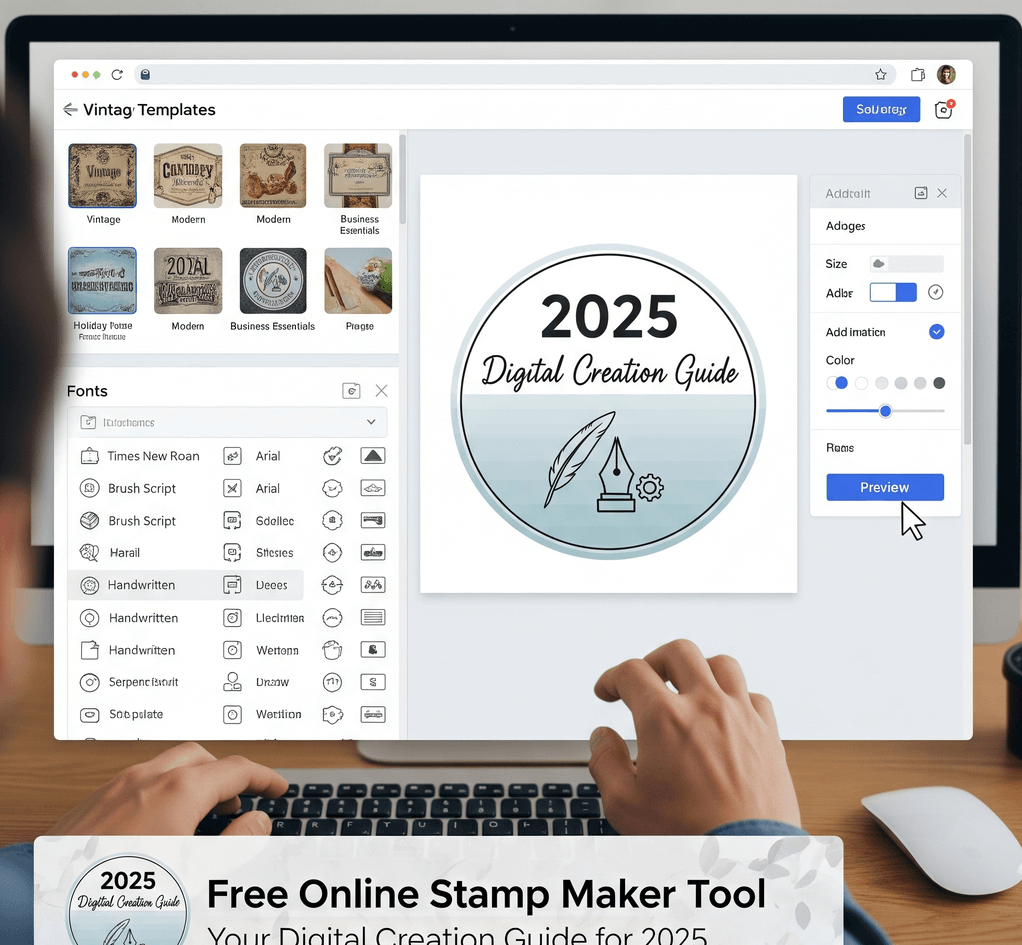
Search for a free online stamp maker and you will find plenty of tools that describe themselves as free. In practice, "free" can mean very different things. Some tools let you design for free and charge for the download. Some let you download for free but add a watermark, limit the resolution, or restrict how you may use the file. A few are free throughout but offer fewer features.
None of these models is wrong, but you should know which one you are using before you spend time on a design. This guide explains exactly what is free on SealsDigital, what costs money and how much, and how to evaluate any free stamp tool before you rely on it.
Free to design, pay to download. You can build and preview the stamp without paying, and you pay only when you want a clean, usable file. This is the most transparent model, because you can see the finished design before you decide.
Free download with limits. The file is free, but it may carry a watermark, come at a low resolution, have a white background instead of transparency, or be licensed for personal use only. These limits often only become clear after you try to use the file in a real document.
Free throughout. Some simple tools charge nothing at all. They can be fine for a quick, informal mark, but check what the export actually looks like and what the terms allow before using it for business documents.
Designing and previewing are free. In the , you can:
- start from hundreds of editable templates grouped by use case, or from a blank outline;
- choose a circle, oval, rectangle, or triangle shape in a standard or custom size;
- add curved and straight text and adjust the font, size, color, letter spacing, and position;
- choose single, double, triple, dashed, dotted, or vintage borders;
- add stars, lines, polygons, and your own logo or image (SVG or PNG);
- set any ink color and opacity, and add an adjustable aging effect.
The live preview shows your changes as you make them. The preview carries a watermark, which is how the free design stage stays free: you can check every detail of the layout, but the watermarked preview is not the final file.
The AI stamp generator is another way to start. It proposes stamp layouts from a short description, and you refine the result in the same editor.
There is also a free PDF tool. On the , you upload a PDF, place your stamp image, resize it, and download the stamped document. Files are processed in your browser and cleared about an hour after use.
A clean, watermark-free export is the paid step. At the time of writing, SealsDigital charges:
- PNG: $2.50 for a single export.
- PNG + SVG + EPS: $2.90 for a single export.
- All six formats (PNG, JPG, SVG, EPS, PDF, DOCX): $3.50 for a single export.
- Unlimited exports: $15.90 per month, $119 per year, or $299 for lifetime access.
A single export needs no account. The PNG has a transparent background and comes at 1x, 3x, or 10x size. With a free account you can also . Check the before you buy, since that page is always up to date.
- One stamp for PDFs or emails: a single PNG is usually enough. Choose a larger size if the stamp will be printed.
- A stamp you will send to a manufacturer or designer: the PNG + SVG + EPS bundle gives you vector files that scale cleanly.
- Stamps for Word documents or mixed office use: the six-format option includes DOCX and PDF as well.
- Many stamps, or stamps that change often: if you export regularly, compare the subscription against what you would pay per file. Only you know how many designs you will need.
Whichever tool you use, a few questions reveal what "free" really means before you invest time in a design:
- Where does the watermark appear? On the preview only, or on the downloaded file too?
- What resolution is the download? A small image may look fine on screen and blurry when printed.
- Is the background transparent? A white box behind the stamp covers text and lines on the page. If you already have that problem, here is how to .
- Is there a vector export? SVG or EPS matters if a manufacturer or designer will use the artwork.
- What do the terms allow? Check whether commercial use is permitted and whether the fonts and templates are licensed for it.
- Is an account or subscription required? Note any automatic renewal before you enter payment details.
- What happens to your uploads? If you upload logos or documents, look for a clear statement on how long files are kept.
- Can you edit the design later? If the wording changes next month, find out whether you can reopen the design or have to start again.
A tool that answers these questions clearly on its pricing or help pages is usually easier to trust than one that reveals its limits only at checkout.
Whether the file was free or paid, test it in the place you will actually use it. Place it on a real PDF or document page, check that nothing underneath is hidden, print a copy at 100% scale, and look at it from normal reading distance. If the stamp will be photocopied or scanned, try that too. Small text and thin lines are usually the first to fail.
Read every word once more. A spelling mistake in a company name or a wrong phone number costs more to fix after the stamp has been used on documents than before you export.
A stamp image, whether free or paid, is visual artwork. It can show a status such as RECEIVED or APPROVED, or display your company name and logo. It does not prove who applied it, and it does not reveal whether the document was changed afterward. Exported SealsDigital stamps are not cryptographic digital signatures or electronic seals. If a document needs verifiable approval, use a proper signing system, and check the rules that apply to your documents and your location.
For more practical walkthroughs on designing and using stamps, browse our .
Is SealsDigital's online stamp maker really free?
Designing and previewing are free, and so is the PDF stamping tool. You pay only when you want a clean export without the preview watermark. A single PNG export costs $2.50, and there are bundle and subscription options if you need more formats or more files.
Why does the preview have a watermark?
The watermark marks the preview as a working copy rather than the final file. It lets you check the full design before you pay. The paid export is delivered without the watermark.
Can I stamp a PDF for free?
Yes. The free PDF tool lets you upload a PDF, place a stamp image, resize it, and download the result. Files are processed in your browser and cleared about an hour after use. You need a stamp image to place, such as a PNG you have exported.
Do I need an account to buy a single stamp file?
No. A single export on SealsDigital does not require an account. An account matters if you subscribe for unlimited exports and want to save designs to My Library.
