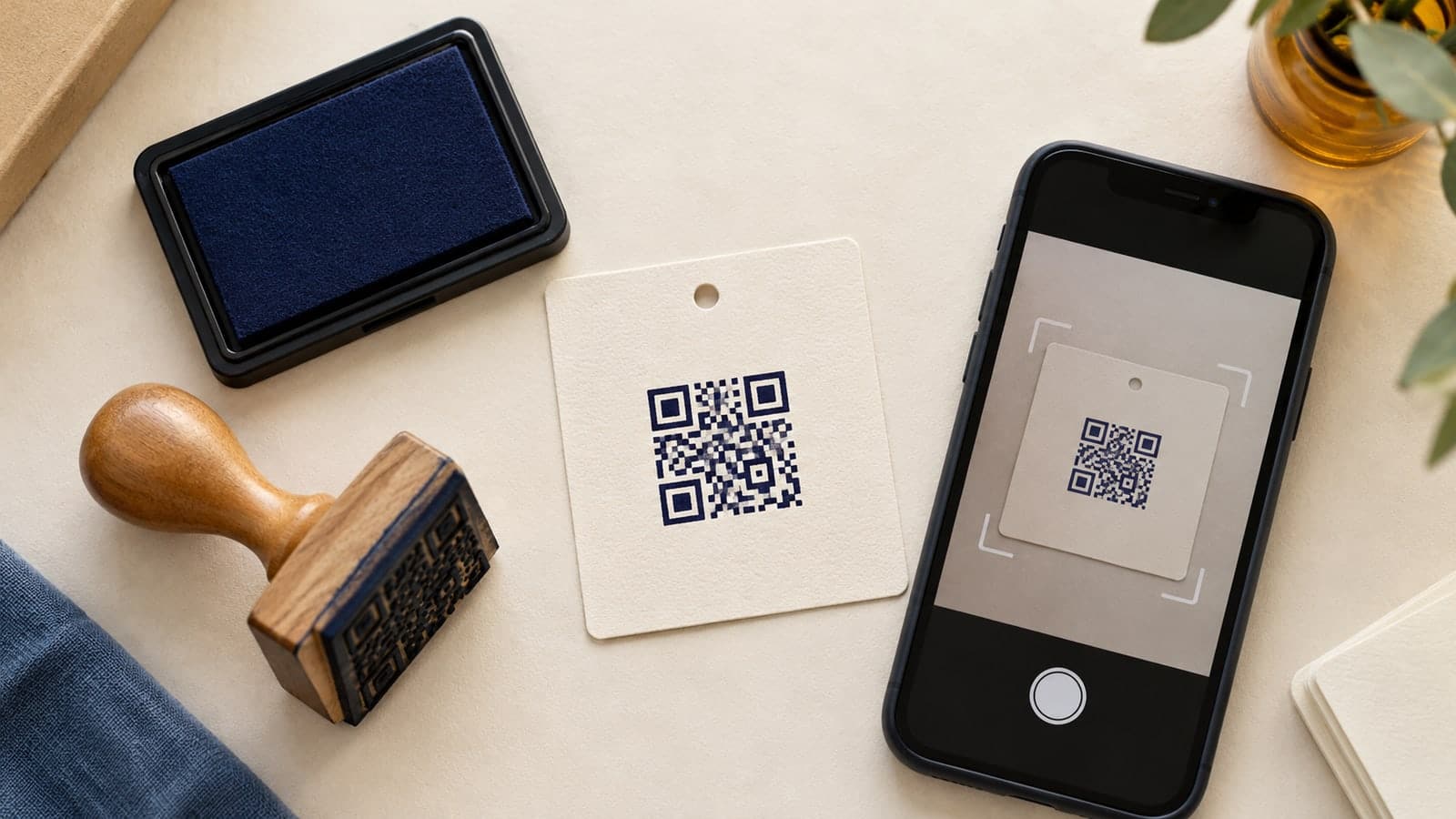
A product card looks ready to pack. Its small square code opens the care instructions when scanned from a monitor. On the stamped card, however, the same phone keeps searching. The logo beside the code looks attractive, so the impression appears acceptable until someone tries to use it.
A QR code rubber stamp has two separate jobs: reproduce a readable symbol and take the reader to the intended destination. Approving its appearance alone checks neither job completely. A clean digital preview is a starting point, not evidence that the finished tool will work on your packaging.
The useful question is whether a repeatable physical impression can support the customer's next action. This guide explains how to prepare that decision, what to ask a supplier, and how to compare a stamp with a printed alternative before ordering a full production setup.
Choose one task for the code. It might open care instructions, a product setup page, or a public event schedule. Avoid sending customers to a general homepage when the surrounding card promises a specific answer. A successful scan followed by an irrelevant page is still a failed experience.
Write the destination into the design brief in plain language. For example: “Open the care page for this product family without requiring an account.” Check that the actual page supports this task on a phone before preparing the artwork.
Keep the encoded address under organizational control where practical. A short, stable route on a domain your organization manages can be easier to maintain than a campaign address containing temporary parameters. If a redirect is involved, record who owns it and what should happen when a product is discontinued. Shortness alone is not a reason to trust an unfamiliar link service.
Also decide what happens when scanning is unavailable. A short printed instruction or recognizable destination name can provide a fallback outside the symbol. Do not make a QR code the only way to obtain information that the reader needs to use the product appropriately.
A QR symbol is a grid of small units called modules. DENSO WAVE's guidance for standard QR Codes specifies a clear margin four modules wide on every side. That margin belongs to the code's usable footprint; it is not spare space for a border, logo, or instruction.
Measure the complete footprint after generating the final symbol. A square that appears roomy in a layout may become crowded when the clear margin is included. Keep nearby text, package patterns, folds, and other impressions outside that area.
Do not choose a universal minimum size from an attractive example online. The encoded content, module count, impression quality, material, and reading conditions all affect the result. Ask the stamp supplier to evaluate the actual code at the proposed finished dimensions. A recommendation for a simple logo is not automatically a recommendation for a machine-readable symbol.
Simplify the payload, not the squares
If the code is too dense for the available area, reconsider what it contains. A concise destination may permit a less demanding symbol than a long string of unnecessary tracking parameters. Regenerate the code after changing the payload; do not edit individual squares to make the pattern look simpler.
Error correction is another design tradeoff. DENSO WAVE explains that higher correction levels add data and can increase the symbol size. It is not a guarantee that a small, blurred, or badly reproduced impression will scan. Choose settings with the supplier and test the resulting symbol instead of assuming that the highest setting solves every printing problem.
Avoid center logos, rounded-module styling, gradients, and distressed effects for the first proof. Those variations introduce extra questions before the basic reproduction method has passed a test. A plain square code gives you a clearer baseline.
A brand mark and a code can share a card without sharing the same tight border. Give each a separate role: the mark identifies the organization; the code opens the promised resource. A short instruction explains the connection.
Use the to explore the surrounding wording and frame. Treat that layout work separately from generating and validating the QR symbol. SealsDigital's image composition controls can help arrange artwork, but a stamp design preview is not a QR verification service.
Start with dark artwork on a plain light area. Test any brand color or nonwhite stock as a separate candidate rather than assuming it behaves like the baseline. Keep the design square and preserve its proportions when placing it. Stretching the image to fit a narrow gap changes the symbol, not just its presentation.
If the package cannot provide enough uninterrupted space, use a separate insert or label. Moving the code is often a more useful design change than shrinking everything around it. The customer should not need to flatten a fold or remove tape to find the scanning area.
Send the supplier the final code file, complete footprint, intended paper or card, and surrounding layout. Ask what file format they need and whether the proposed tool can reproduce that particular design. Include a normal-reading reference so production preparation cannot be confused with the customer's view.
Describe where the mark will land: a flat insert, an assembled carton, or an uncoated sleeve. These are different operating conditions. A sample on smooth white office paper does not settle a question about a textured packaging surface.
The broader covers placement and material choices. For a QR application, add a functional requirement: the complete symbol must remain readable after the normal packing steps, not merely look recognizable immediately after stamping.
Request proof impressions before committing to a larger order when the supplier offers that option. If only a digital proof is available, record the remaining uncertainty. Do not describe the design as scan-tested until a physical sample has actually been checked.
Keep the test focused enough that another person can repeat it. Use fictional or public information, not confidential customer records, in any samples circulated for review.
Test the physical symbol
Prepare several impressions made through the intended workflow. Include the actual stock and ordinary variations in placement, rather than selecting only the neatest result. Follow the supplier's instructions for the tool and ink; do not invent a special technique that production staff cannot repeat.
Check samples with more than one phone when available. Use the camera or reading app customers are likely to use, at a comfortable distance and under normal indoor lighting. Record the device, sample, and result. This is a practical comparison, not a claim of universal compatibility.
Retest after the next real handling step, such as folding an insert or placing it inside a sleeve. If the code will sit under transparent packaging, test it there too. A test result describes the conditions actually tried, so name those conditions in the approval note.
Test what opens
After the code is recognized, inspect the destination rather than stopping at the notification. Confirm that it opens the correct page, presents the intended product information, and remains usable on a phone. Note unexpected sign-in requests, unavailable pages, or redirects to unrelated content.
Try the destination separately by entering the approved address. If it fails that way as well, enlarging the stamp is not the fix. Keep reproduction problems and website problems in different columns of the test record.
The following comparisons help narrow the next experiment. They are diagnostic suggestions, not proof of a particular fault in equipment that has not been inspected.
| Observation | Useful next check |
|---|---|
| Digital code reads, every stamped sample fails | Compare actual size, clear margin, and module definition with the source |
| Some impressions read and others do not | Compare the physical samples, material, and application method |
| Code reads before packing but not afterward | Inspect folds, glare, tape, and newly covered margins |
| Phone recognizes the code but the page fails | Check the destination and redirect independently |
| One device succeeds while another struggles | Retest with a larger, simpler candidate under the same conditions |
Change one variable at a time. If you enlarge the symbol, replace the ink, change the paper, and shorten the address together, you may find a workable combination without learning which change mattered. That makes later reorders harder to assess.
Keep failed samples with the successful proof until the decision is complete. A photograph may be useful for discussion, but the physical card is the more relevant reference for a physical stamping problem.
A rubber stamp makes sense only if ordinary use produces a dependable result. If the code needs unusually careful pressure, a perfect surface, or repeated attempts to scan, the method may not fit the job. Do not make the customer compensate for a fragile production choice.
Compare the stamp with a printed label or preprinted insert using the same destination and intended placement. Evaluate legibility, application effort, material fit, and how often the destination changes. Avoid treating a handmade appearance as a requirement for the functional code merely because the rest of the packaging is hand stamped.
For example, a small maker could stamp a simple brand emblem on a sleeve and place a tested printed code on the care card. The two elements still belong to one visual system, but they do not need the same production method. This is a layout option, not a reported customer result.
Once approved, retain the exact code source and a reference impression. Recheck when the artwork, stock, supplier, or destination changes. The can support future layout work, while the scan record tells you whether a specific physical version is ready to use.
Can I use the code directly from a screenshot?
Prefer the original export from the code generator. A screenshot may include cropping or resampling that was not part of the intended file. Whatever format the supplier requests, preserve the square proportions and full clear margin, then inspect the physical proof.
Is there one safe size for every QR code stamp?
No single dimension settles the question. Evaluate the generated symbol, supplier's reproduction limits, intended stock, and reading conditions together. The approved size should come from a specific proof and test, not from an unrelated product photograph.
Can the code be part of a circular company stamp?
It can be placed within a larger composition only if its own square footprint and clear margin remain intact. Do not bend the pattern around a circle. If the frame competes with the code, separate the brand mark from the scanning element.
Does a successful scan prove the product is genuine?
It shows that the reader obtained data from the symbol. A visual QR stamp alone is not proof of identity or product authenticity. Any verification claim needs a separate, appropriately designed system beyond the artwork and the link.
Can I change the destination after ordering the stamp?
The physical symbol continues to encode the same data. If it points to a redirect you control, that redirect may be managed separately. If it contains a direct address you cannot maintain, changing the destination may require a new code and tool.
A QR code stamp is ready when a normal impression on the intended material leads a reader to the right information under realistic conditions. Keep the margin clear, preserve the symbol, separate scan failures from destination failures, and retain the approved sample. If the physical method cannot repeat that result, move the code to a printed element and let the stamp handle the branding.
