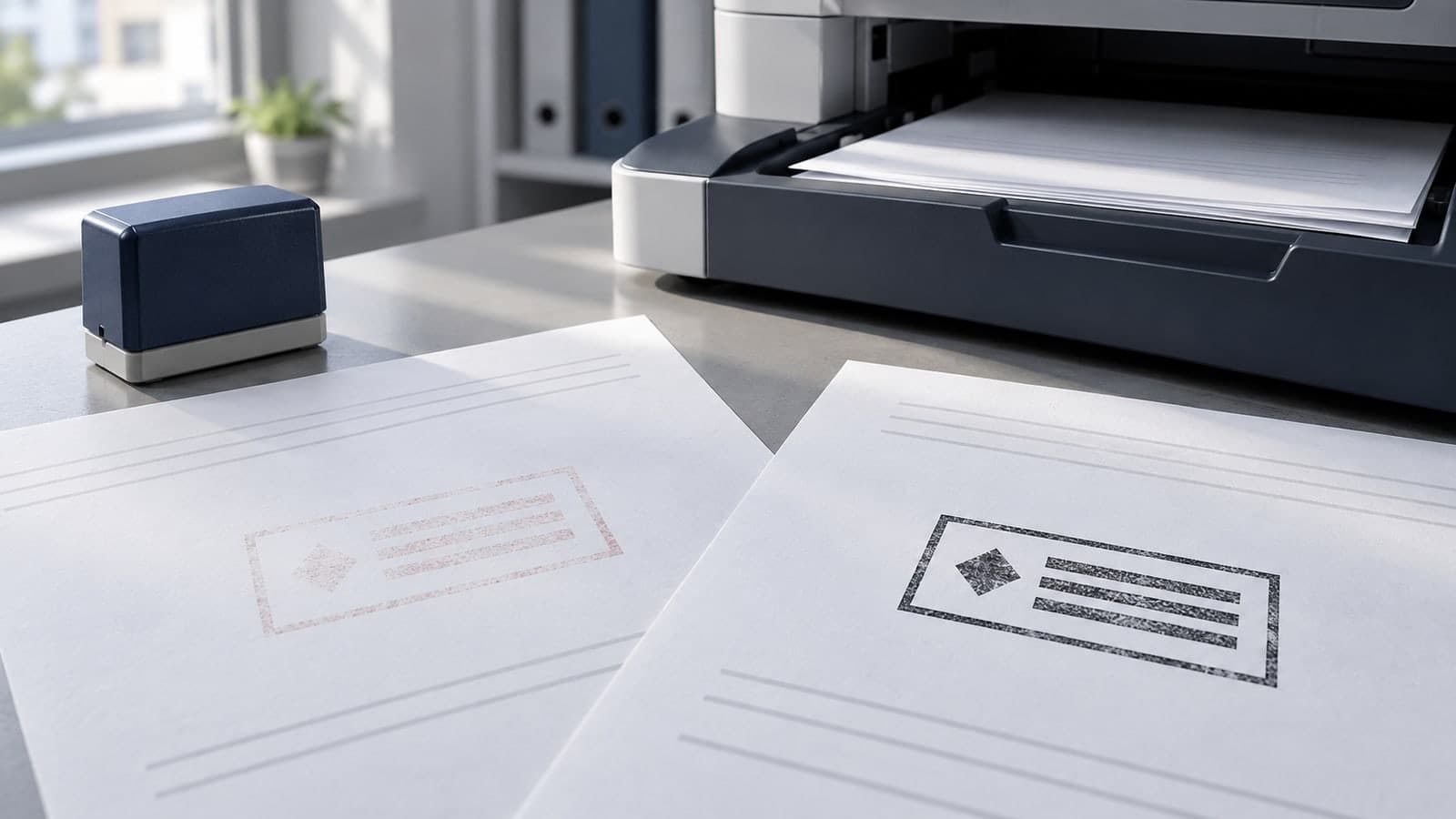
The original sheet clearly says “REVIEW REQUIRED” in a pale red rectangle. On the black-and-white copy, the surrounding paragraph is sharp but the status mark is barely visible. Making the stamp larger seems an obvious fix, yet the enlarged version now covers a reference number and still looks faint.
Start by finding where the mark first loses information. A design that is readable on screen can change during PDF export, printing, photocopying, or scanning. The right repair depends on that first weak stage, not on the appearance of the final copy alone.
This troubleshooting method is for ordinary office marks and document artwork. It separates color problems from geometry problems, then uses a small controlled comparison to decide whether to change the source, placement, or output settings.
Keep the original design unchanged while you investigate. Make a working copy of a nonconfidential page that resembles the real document, including its background, text density, and usual stamp position. Testing a large mark alone on an empty sheet may hide the problem.
Collect the stages that actually exist in your workflow:
- the placed artwork in the editing application;
- the saved or exported document reopened in a viewer;
- the first paper print;
- the photocopy made from that print;
- the scan of the paper copy, if that is how it is filed.
Some offices have only two of these stages. Do not add unnecessary conversions merely to complete a checklist. Compare each available output with the one immediately before it and mark the first point at which an important letter, line, or gap becomes difficult to distinguish.
If the exported PDF already looks wrong, investigate placement and export before changing the copier. If the first print is clear but its copy is weak, changing the original word spacing may be a distraction. Preserve the intermediate samples so a colleague can see the same change.
“Black and white” can describe different processes. A grayscale output represents colors with shades of gray. A setting that forces nonwhite content to solid black produces a different result. The labels and available controls depend on the application and printer driver.
Adobe's Acrobat printing documentation distinguishes grayscale composites from its Print Color As Black option. The latter forces nonwhite colors to black. That can help explain why two apparently monochrome print jobs do not look alike; it is not a recommendation to use that option for every document.
For a page with diagrams, shaded areas, or photographs, forcing all nonwhite content to black may destroy useful distinctions elsewhere. Test the whole document, not only the stamp. A fix that makes the status readable while turning an important chart into a dark block is not an acceptable result.
Record the output mode beside each sample. If a colleague uses a different viewer or driver, compare its available settings directly rather than assuming that identically named options behave identically.
You do not need to diagnose every possible imaging fault. Begin with the visible failure and make one comparison that could narrow the cause.
The entire mark becomes pale
Compare its color, opacity, and background at the last good stage. A mark intended to resemble a watermark may be too faint for a status that must survive ordinary copying. Test a fully opaque, dark version in the same location while keeping the wording and dimensions unchanged.
If the original is a physical ink impression, compare several originals before redesigning the artwork. A faint original and a clear original are different inputs to the copier. Describe the variation to whoever maintains the stamp rather than trying to solve it entirely through scanner settings.
The border remains but small letters disappear
Inspect the text at actual size. The border may simply be heavier than the letters. Try a candidate with clearer letter shapes and more useful internal space, without thickening every element at once. Check letters with small openings as well as long words near the frame.
Letters remain but neighboring strokes join
This is not the same problem as faintness. Increasing weight again may make the joins worse. Compare a version with more spacing, fewer decorative lines, or a less condensed font. Confirm whether the joins are already visible in the first print or appear only after copying.
A dark rectangle replaces the background
Stop treating this as a color-strength problem. Check the placed file and the exported document for a background or transparency change. An opaque rectangle may cover the document even though the stamp itself looks darker. Return to the last correct file and isolate the conversion that introduced it.
The scan loses a mark that is clear on paper
Review the scan mode and any background-cleaning or text-enhancement settings available on that device. These are possible factors to test, not a diagnosis of an unseen scanner. Compare one adjusted setting with the normal preset and retain the paper original as the reference.
A page of twenty nearly identical designs makes comparison harder. Start with three candidates that answer specific questions:
- the current mark, unchanged;
- the same geometry in a dark, fully opaque treatment;
- the dark treatment with simplified detail or clearer spacing.
Place the candidates at the intended size on the same sample page. Give them short identifiers outside the artwork so the result can be discussed without relying on color. Keep each candidate away from text it could obscure, and use the same blank-area conditions for all three.
The can help establish a simple wording hierarchy for the third candidate. Use the template as a layout starting point, not as evidence that its default styling will survive your equipment.
Run the page through the route that produced the failure. Compare results under ordinary reading conditions before zooming into a scan. A large on-screen view is useful for finding a broken edge, but it cannot stand in for reading the paper at normal size.
If the dark version solves the problem while the original does not, color or opacity deserves further attention. If only the simplified version works, the layout also needs revision. If all three fail at the same stage, investigate that stage before making more artwork variants.
Red and blue may help staff notice different statuses on screen. They should not be the only difference between those statuses. Once the page is copied, the reader needs wording or another clear distinction that survives the loss of hue.
For a hypothetical review process, compare “REVIEW REQUIRED” with “REVIEW COMPLETE,” not two identical “REVIEW” marks in different colors. The specific wording must match the organization's actual process, but the design principle is simple: the copied page should state the intended status without a color legend.
Use hierarchy to protect that message. Give the action word enough room, keep supporting information subordinate, and remove decoration that competes with the smallest essential text. Do not compress an entire paragraph into the stamp merely to make it self-contained.
The background matters too. A dark version tested on a white page may fail on a dark panel. The covers reversed and destination-specific artwork. Here the priority is different: verify what remains after your document has been converted and copied.
Consider an illustrative page containing a pale red status mark, a customer reference field, and a gray information box. Its PDF looks correct, the first color print is readable, and the monochrome photocopy loses most of the status wording. The reference text remains clear.
The first experiment keeps the same dimensions and placement but replaces the pale mark with a dark, opaque version. If that candidate remains legible on the copy, there is no reason to enlarge it over the reference field. The test has shown a less disruptive direction for the repair.
Next, compare the border with the wording. If the border becomes dominant, reduce its visual weight or remove a secondary ring while preserving the readable letters. This is a design judgment made from the sample, not a universal prescription to thicken text or delete all frames.
Finally, check the gray information box and the rest of the page. If a printer setting makes the stamp darker but damages that box, prefer a corrected stamp asset over a global output change. Retest the chosen asset using the normal document route.
This example is not a report of a measured experiment. It demonstrates how to make a decision from intermediate evidence instead of changing several unrelated settings and hoping the last copy improves.
A digital source gives you control over color, spacing, and placement. A physical stamp introduces a tool, ink, application method, and surface. Both can produce a faint mark, but their repair paths are not interchangeable.
For a digital file, inspect the approved source, the placed instance, and the exported document. Check that someone has not reduced opacity or substituted a low-quality preview. Replace the incorrect instance with the approved candidate and reproduce the output before declaring the problem solved.
For an inked impression, follow the supplier's instructions for maintenance and compatible materials. Do not add an arbitrary ink or press harder as a universal remedy. Compare the original impressions first; if the original itself is inconsistent, discuss that evidence with the supplier or responsible operator.
If both methods are used in the office, retain separate approved samples. A digital mark passing the copy test does not establish that a similar-looking physical impression will pass it too.
Approval should name the information that must survive. For a status mark, that may be the complete status phrase and a department label. Decorative texture can be optional; an essential word cannot.
Use a short acceptance note:
- the final copied page shows all required wording at normal reading size;
- adjacent text, fields, and figures remain unobscured;
- different statuses remain distinguishable without color;
- the selected file and output route are recorded;
- another reader can interpret the result without seeing the colored original.
Keep the successful output with its source file and settings. If a device or document template changes, use that sample for comparison rather than relying on memory. Avoid promising that one test establishes compatibility with every future printer or scanner.
The offers related design guidance. For this problem, the useful deliverable is narrower: one corrected asset and one reproducible route that preserve the mark's meaning in your actual copies.
Should I always change a colored stamp to black?
No. First identify where it loses readability. A dark monochrome version is a useful comparison and may suit the workflow, but it must be tested with the complete page. Color can remain useful on the original when essential meaning survives without it.
Will increasing resolution fix a pale mark?
Not necessarily. Resolution and tone are different variables. Inspect the output for missing detail, weak contrast, or both. If the shape is sharp but faint, changing only the pixel dimensions may leave the real problem untouched.
Can I fix the copy by increasing contrast afterward?
You can compare that result, but do not assume it restores information already lost. It may also change other page content. Prefer fixing the first weak stage and retaining an unmodified reference rather than repeatedly processing a damaged copy.
Is a grayscale screen preview enough?
It is a useful early check, not a substitute for the actual route. Print, copy, and scan the sample only as your workflow requires. Judge the output that the recipient will use, not a more flattering intermediate preview.
Must every decorative detail survive copying?
No. Decide which content carries the meaning and which is optional styling. A clean status phrase matters more than a weathered texture. If missing decoration makes the mark misleading, simplify the approved version rather than accepting an ambiguous copy.
Save the original, collect the intermediate outputs, and locate the first loss of readable information. Compare a dark candidate and a simplified candidate without changing their size or position unnecessarily. Release the version that preserves both the stamp's message and the surrounding document, and keep its successful copy as the next troubleshooting reference.
