SealsDigital Studio
Create your own stamp © sealsdigital.com
PreviewStamp size · 38 mm
Loading...
Select ElementSelect Element
Business stamps maker
10 editable business stamps templates. Pick one to load it into the stamp editor above, or let the AI business stamp maker draft one for you.

Create a Business Stamp Online with SealsDigital — #1867027

Business Stamp Template for the SealsDigital Stamp Maker — #1526198

SealsDigital Business Stamp Starting Layout — #1737801

Business Stamp Template for the SealsDigital Stamp Creator — #2508531
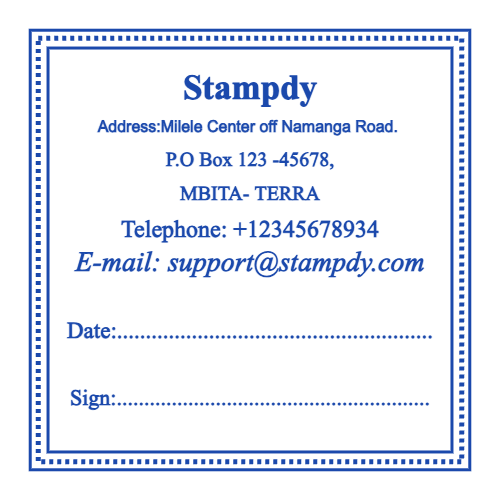
Create a Business Stamp Online with SealsDigital — #2898169

SealsDigital Round Business Stamp Design — #2883103

Create a Business Stamp Online with SealsDigital — #9030668

Editable Business Stamp for the SealsDigital Online Stamp Maker — #9951235

SealsDigital Round Business Stamp Design — #1347362

Editable Business Stamp for the SealsDigital Seal Maker — #1864766
Showing 1 - 10 of 10 templates
Related stamp templates
Generate with AIAI business stamp makerDescribe the stamp and get a draft you can edit here.Stamp guideBusiness stamps in a digital officeStamp guideInvoice approval stamp workflow
See all stamp template categories
Most offices repeat the same small marks every day: the company address on outgoing mail, "Paid" on a settled invoice, "Received" on incoming documents, a logo on packing slips. A business stamp turns each of those into one clear, identical impression instead of handwriting that differs from person to person. The templates on this page cover the common business layouts, and you can edit them online and export them as a digital image or as artwork for a physical stamp.
Business stamps do three main jobs:
- Identification: showing which company sent, issued or packed something, through a name, address or logo.
- Status: recording what has happened to a document, such as received, approved, paid or filed.
- Consistency: making sure everyone on the team marks paperwork the same way, so records are easy to read later.
They are useful on paper and on PDFs. A stamp image on a PDF invoice or delivery note does the same job as an ink mark on paper, without printing and scanning.
Address and contact stamps carry the company name, street address, city and postal code, plus one contact method such as a phone number or website. They go on envelopes, packing slips, order forms and service paperwork.
Logo and brand stamps put the logo, often with the business name and a short tagline, on packaging, cards, bags and documents. A one-color version of the logo works best.
Status stamps use a single clear word or short phrase: "Paid", "Received", "Approved", "Entered", "Filed", "Copy", "Void" or "Confidential". Many add a line for the date and initials, such as "Paid · Date ____ · By ____". Our article on shows how to set these up so each mark means the same thing to everyone.
Approval blocks are rectangular panels with labeled lines, such as "Checked by ____ / Approved by ____ / Date ____", that staff complete by hand.
Signature stamps reproduce a handwritten signature, sometimes with a name and title. Whether a stamped signature is accepted depends on the document, the organization receiving it and the law where you operate, so check before relying on one, and keep the stamp secured.
Rectangles are the default for business stamps because addresses, status words and approval blocks are made of straight lines. A standard address or status stamp is around 2 inches wide and under an inch tall (about 50 by 20 mm), which fits the corner of an envelope or the margin of an invoice. Approval blocks need more height, often 1.5 inches or more, to leave room for handwriting.
Round stamps suit company marks and logo badges, with the business name curved around the edge and a logo or the city in the center. Ovals work well for long company names. Measure the space you usually stamp, whether that is an envelope corner, a form box or a box flap, and design at that size.
- Pick a template close to your layout and set a standard or custom size.
- Replace the sample text with your company details or status wording. Use straight text for address blocks and status marks, and curved text for round company marks. Adjust font, size, letter spacing and position so every line is easy to read.
- Upload your logo as an SVG or PNG if the stamp needs one, and size it so it does not crowd the text.
- Choose a border: single, double, triple, dashed, dotted or vintage. Single and double borders read best on business documents.
- Set the ink color. Black or navy suits address and approval stamps; red or green is common for status words like "Paid" or "Approved" so they stand out on a page.
- Add lines for dates, initials or signatures where staff will write by hand.
To start from a description instead of a template, the drafts a layout that you review and refine in the same editor.
Designing and previewing are free; you pay only when you export, and a single export needs no account.
- PNG ($2.50): a transparent image at 1x, 3x or 10x for invoices, PDFs, email and printed forms.
- PNG + SVG + EPS ($2.90): choose this for a physical stamp or for a print shop. Send the SVG or EPS to a stamp manufacturer of your choice; SealsDigital designs the artwork but does not manufacture stamps.
- All six formats ($3.50): PNG, JPG, SVG, EPS, PDF and DOCX, useful for adding a stamp to Word templates.
Teams that need a full set of stamps (address, logo, "Paid", "Received" and approval blocks) may prefer an unlimited plan at $15.90 per month, $119 per year or $299 lifetime. Sign in with a free account to save each design to My Library and reopen it when details change.
For invoices, delivery notes and contracts that arrive as PDFs, the lets you upload the file, place your stamp image, resize it and download the stamped copy at no charge. Files are processed in your browser and cleared about an hour after use. Place status stamps where they do not cover totals, terms or signatures.
A stamp image on a PDF is visual artwork. It is not a cryptographic digital signature or electronic seal, and it does not prove who applied it or that the file is unchanged. For documents that need a verified signature, use a dedicated e-signature service. Our article on covers where stamps fit alongside other digital tools.
If you order a physical stamp, match the type to how often it is used. A traditional mount with a separate ink pad is inexpensive and lets you change colors, which suits occasional use. Self-inking stamps re-ink between impressions and suit daily office work. Pre-inked stamps give very sharp impressions and suit detailed logos and frequent stamping. Store self-inking and pre-inked stamps upright with their covers on.
- Putting address, logo, tagline and status on one crowded stamp
- Using a full-color logo with fine detail that disappears at small sizes
- Choosing status wording that different staff interpret differently
- Leaving signature and approval stamps where anyone can use them
- Keeping old stamps in use after a move or rebrand
Can I combine address, logo and slogan on one stamp?
Yes, if the layout stays clear. Keep the text to three or four short lines and use a simple one-color logo.
Are signature stamps legally valid?
It depends on the document, the organization receiving it and your jurisdiction. Some accept stamped signatures for routine paperwork, others require a handwritten or verified electronic signature. Check with the relevant authority or counterparty.
What if my business rebrands or moves?
Edit the design and export a new version. A physical stamp cannot be changed, so order a replacement and retire the old one.
Do I need an account to export a business stamp?
No. A single export can be bought without an account. Saving designs to My Library only needs a free account.
