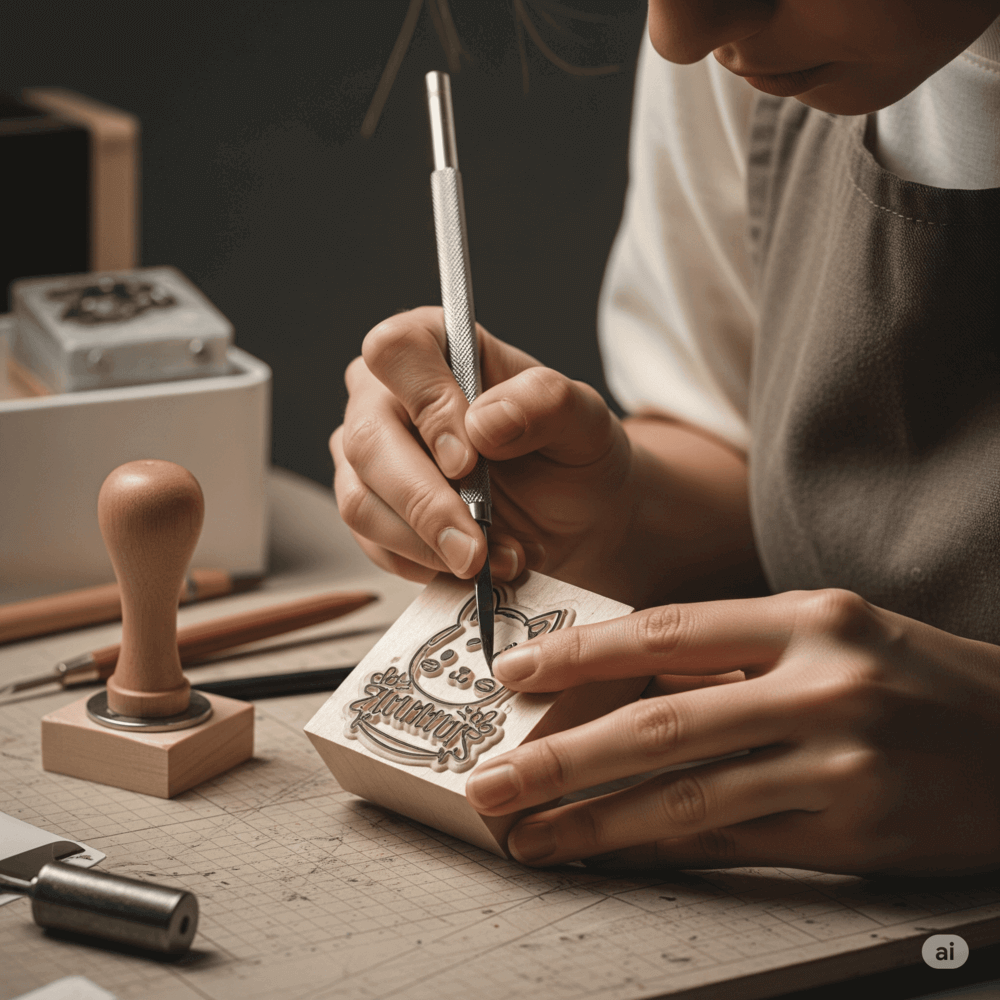
There are two common ways to get a new stamp. You can ask a stamp shop to lay it out, approve a proof, and wait for a physical stamp. Or you can build the layout yourself in an online stamp maker and download a file the same day. The routes are not mutually exclusive. The right choice depends on where the stamp will be used, how often the wording changes, and what you need to keep afterward.
A stamp shop delivers an object. Depending on the shop, that might be a self-inking stamp, a pre-inked stamp, a traditional wood-mounted rubber stamp, or an embosser. Along the way you usually see a proof image so you can check the wording and layout before production. Whether you can keep an editable copy of the artwork varies from shop to shop, so it is worth asking before you order.
An delivers a file. You choose a template or start from a blank shape, edit the text and border, and export artwork such as a transparent PNG or a vector SVG. That file can go straight onto a PDF, into a Word document, onto a packaging label, or to a manufacturer who will turn it into a physical stamp.
SealsDigital is in the second group. It creates downloadable digital stamp artwork; it does not engrave or ship physical stamps. If you need rubber, you take the exported file to a local maker of your choice.
With a shop, most of the elapsed time sits outside your control. A typical order moves through a request, a layout prepared by shop staff, an emailed proof, your corrections, a second proof if needed, production, and then pickup or delivery. Each step may be quick, but the gaps between them add up. Ask the shop for its current turnaround before you commit, especially if the stamp is needed for a specific date.
With an online stamp maker, the time is mostly your own design time. You can start from a template grouped by use case, change the text, and see the result in a live preview. Once the layout is right, the export is available immediately. The trade-off is that you are doing the layout work a shop would otherwise do for you, so plan for a careful review rather than a quick click-through.
At a shop, every change is a message. You ask for a larger company name, wait for a new proof, notice the phone number is now too close to the border, and ask again. Some shops limit how many proof rounds are included, so check the terms. On the positive side, an experienced shop will often catch problems you might miss, such as text that is too small for their production method.
In an online editor, you control every element directly. On SealsDigital you can switch between circle, oval, rectangle, and triangle outlines, set a standard or custom size, adjust curved and straight text (font, size, color, letter spacing, and position), choose single, double, triple, dashed, dotted, or vintage borders, and add stars, lines, or polygons. Changes appear in the preview as you make them, but mistakes are yours to catch. Read every word aloud, check the stamp at the size it will actually be used, and ask a colleague to proofread names and numbers.
When a stamp wears out, a phone number changes, or a second office needs the same design, someone has to find the artwork. If you ordered from a shop and never received it, a reorder may mean describing the stamp again or sending a photo of an old impression. Ask the shop for the final proof as a PDF or vector file and store it with your records.
With an online stamp maker, the export itself is your record. On SealsDigital, a single export needs no account: a transparent PNG at 1x, 3x, or 10x costs $2.50, a PNG + SVG + EPS bundle costs $2.90, and all six formats (PNG, JPG, SVG, EPS, PDF, DOCX) cost $3.50. Designing and previewing are free; the preview carries a watermark until you export. With a free account you can also save designs to My Library and reopen them later, which makes small wording changes easier.
Keep at least one vector file (SVG or EPS) even if you only use the PNG day to day. Vector artwork scales cleanly and is what many manufacturers ask for if you later want the design made in rubber.
A physical stamp remains the better choice in several situations:
- Paper-first work. A receiving counter, a mailroom, or a front desk that marks delivery notes and forms by hand will find a rubber stamp faster than printing, scanning, and re-saving each page.
- Physical products and packaging. Kraft bags, cards, envelopes, and boxes are usually stamped by hand, one item at a time.
- Requirements that specify an impression. Some recipients and processes expect a wet-ink stamp on an original document. Notary seals and certain official seals are governed by rules that vary by jurisdiction, so check with the relevant authority before ordering or substituting anything.
- High-volume repetitive marking on paper. A self-inking stamp at the point of work is hard to beat when the same mark goes on hundreds of sheets.
Equally, a file is the better choice when the document is already digital. Printing a PDF only to stamp it and scan it back adds steps and lowers the quality of the page. For a deeper look at that routing decision, see this guide to .
Many teams use both routes: they design online, where revisions are fast, then hand the finished file to a shop for production. That way, most layout questions are settled before the shop sees the file. A practical sequence:
- Start from one of the or a blank outline, and set the size to the dimensions you plan to order.
- Finalize the wording and hierarchy with the people who will use the stamp.
- Check the layout at actual size, on screen and on a printed page.
- Export a vector file (SVG or EPS) and a PNG preview.
- Ask the shop which formats it accepts, its minimum line thickness and text size, and whether it will send a production proof.
- Compare the shop's proof against your file before approving production.
The covers these checks in more detail, including what to confirm with a supplier.
Choose a stamp shop on its own when you want someone else to handle the layout, the stamp will be used only on paper, and you are comfortable waiting for proofs and production.
Choose an online stamp maker on its own when the stamp will live on PDFs, digital forms, or printed artwork, when the wording may change, or when you need the result today. You can place the image on a PDF with the , which processes files in your browser and clears them about an hour after use.
Choose both when you need a physical stamp but want control over the layout and a reusable file for future reorders or digital copies. For more comparisons like this one, browse our .
A stamp image, whether from a shop proof or an online editor, is visual artwork that shows a status, a name, or a brand. It does not prove who applied it, and it does not detect changes to the document. Exported SealsDigital stamps are not cryptographic digital signatures or electronic seals. If you need proof of identity or tamper evidence, use a signing system built for that purpose and check the rules that apply to your documents.
Can I send a design from an online stamp maker to a stamp shop?
Usually, yes. Many shops accept customer artwork, and vector formats such as SVG or EPS are the most useful because they scale without losing quality. Ask the shop which formats it accepts and whether it will send a production proof before manufacturing.
Is a digital stamp the same as a rubber stamp impression?
They look similar but serve different situations. A rubber stamp leaves ink on a physical page, while a digital stamp is an image placed on a file. Neither one is a cryptographic signature, and some processes specifically require an original impression, so check what the recipient accepts.
How many revisions can I make in an online stamp maker?
Designing and previewing on SealsDigital are free, so you can change the layout as often as you like before you export. The preview carries a watermark until you buy a clean file. If wording changes after export, you edit the design and export again.
Do I need an account to download a stamp?
Not for a single export on SealsDigital. A subscription matters if you want unlimited exports; saving designs to My Library only needs a free account.
