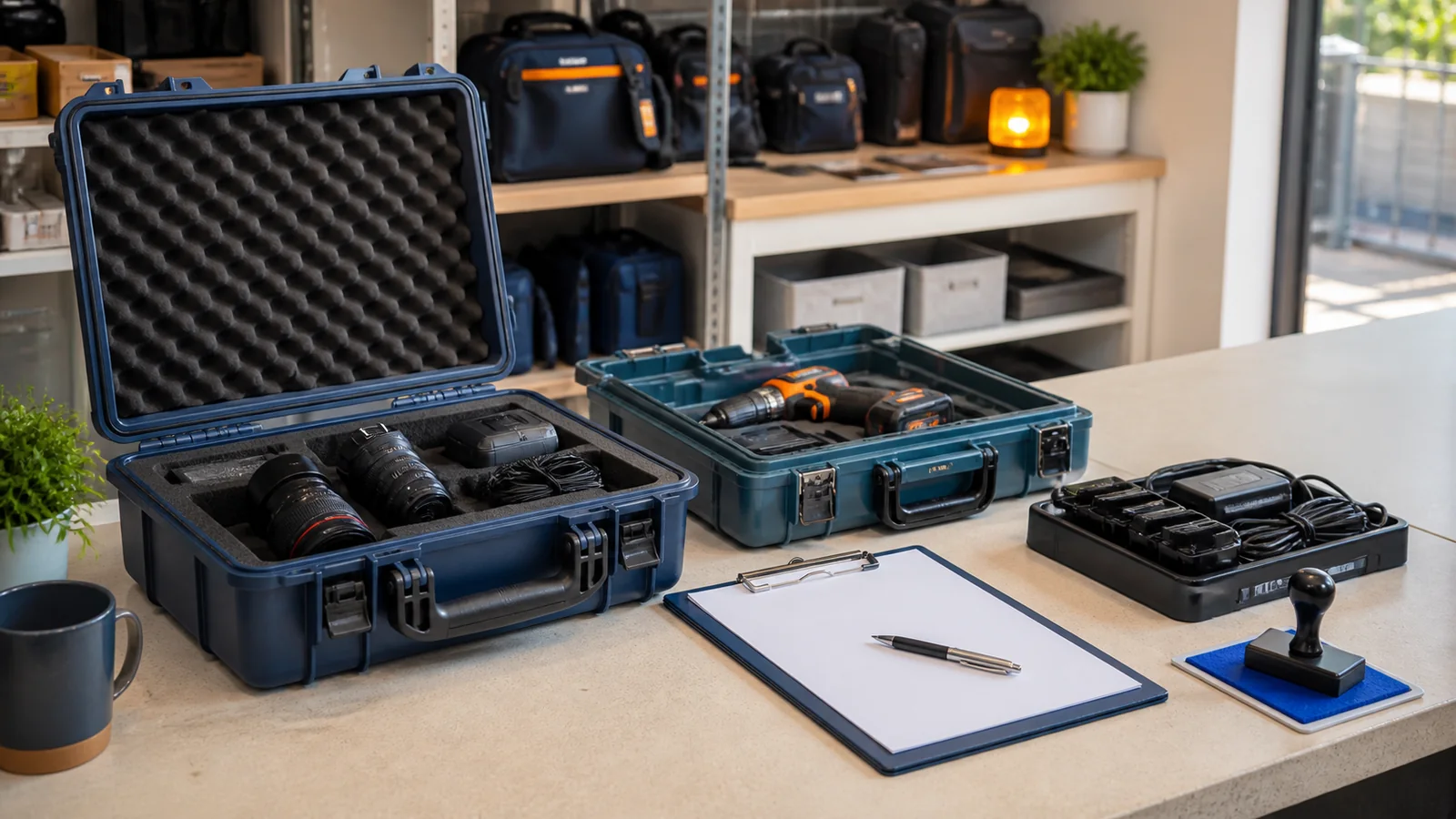
A camera kit comes back at closing time. The body and lens are in the case, but the spare battery is missing and the return form says only “received.” The customer remembers handing over everything. The evening clerk did not handle the original checkout, and the morning team has already gone home. What should have been a routine return now depends on memory.
Rental equipment stamps work best when they make the out-and-back journey visible. A compact mark can prompt staff to record which asset left, what travelled with it, when it is due, what was observed at return, and who owns the next action. It should support the rental agreement and asset system, not try to replace either one.
This guide is for desks that lend cameras, tools, event equipment, sports gear, audio kits, instruments, test devices, or other reusable assets. The examples focus on internal workflow. A stamp alone does not prove condition, custody, payment, damage, or liability; those decisions belong to the business's approved records and terms.
Start with the equipment, not the stamp. Follow one ordinary rental from reservation through return and ask where staff currently pause, copy information, or make assumptions.
A typical loop may include:
- the reservation or request is confirmed;
- an asset and accessories are selected;
- staff check visible condition and function according to their procedure;
- the customer or internal borrower receives the kit;
- the due-back point is recorded;
- the kit returns to the desk;
- staff compare the returned contents with the checkout record;
- the equipment moves to ready, cleaning, inspection, repair, or hold.
The useful stamp states sit at the handoffs. They tell the next person what has happened and what still needs attention. If the rental platform already prints customer details and asset numbers, do not duplicate those fields. Use the mark for information that is missing, frequently skipped, or hard to spot on the existing form.
Observe a normal checkout, a late return, and a kit with several accessories. Those three cases usually reveal more than a meeting based on ideal procedures. Note the longest asset identifier, the actual date format, the size of staff handwriting, and the point where the form becomes crowded.
One universal “rental processed” stamp is tempting, but checkout and return answer different questions. At checkout, staff need to know what left and when it should come back. At return, they need to know what arrived, what was observed, and where the kit goes next.
A checkout mark might contain:
- asset or kit ID;
- accessory count or checklist reference;
- checkout date and time when useful;
- due-back date and time;
- staff initials;
- borrower or agreement reference.
A return mark might contain:
- return date and time;
- contents complete, exception noted, or review required;
- visible condition unchanged, note attached, or inspection pending;
- next state such as ready, clean, service, or hold;
- receiving staff initials;
- linked incident or service reference when one exists.
Keeping the decisions separate prevents an empty field from becoming ambiguous. A blank due date on a return mark means nothing; a blank contents result on a checkout mark is equally unhelpful. Two focused layouts can be smaller and clearer than one dense block.
If the desk needs dates to remain prominent, begin with an editable and add only the fields required by the rental form. Test both layouts on a printout before distributing them.
The asset ID connects the physical item, rental agreement, accessory list, payment record, and maintenance history. It deserves a stable location and enough writing space for the complete format.
Do not shorten identifiers casually. If the system uses CAM-KIT-00418, staff should not write 418 unless the business has confirmed that the shorter value is unique. Similar cases, batteries, and chargers can circulate independently, so the identifier should describe the record staff actually need to retrieve.
For kits, decide whether the stamp records one kit ID or several component IDs. A kit ID is efficient when contents are controlled by a separate list. Individual IDs are better when components move between kits. Do not squeeze a long component register into the stamp. Reference the checklist, packing sheet, or digital record instead.
Place the asset field near the status label rather than at the bottom among notes. On a return mark, for example, RETURNED — ASSET ID ____ makes the connection visible before anyone reads the condition section.
Condition language creates trouble when it asks counter staff to make conclusions they are not ready or authorized to make. A return desk can record observable facts and route an item for review. It should not force an instant decision about fault, cost, or responsibility.
Useful options include:
- no new visible issue noted;
- exterior mark noted on attached record;
- function check pending;
- accessory discrepancy noted;
- supervisor review required;
- service ticket created.
Avoid labels such as customer damage, misuse confirmed, or charge approved unless they are the documented outcome of the business's proper review. The stamp should mark the workflow state, not predetermine a dispute.
Condition notes also need a consistent location. If the form has a diagram or notes panel, the stamp can point there. If photographs are part of the approved process, use the same asset and rental reference so the files can be found later. Do not put sensitive customer data into a reusable design.
The same distinction appears at repair counters. The guide to provides a useful model: record what staff can see, then give technical assessment its own step.
Accessories are often the source of return confusion because they look interchangeable. A battery, cable, key, adapter, memory card, remote, clamp, or safety case can be small compared with the main asset but essential to the next rental.
Build the accessory prompt from real kits. A camera desk might need battery, charger, card, strap, lens cap, and case. A tool desk may need bits, guard, battery, charger, and key. An event team may track cables by type and length.
Use counts where counts matter. Battery: 2 is more precise than a checked Battery box. For kits that vary, write Accessory list ref ____ and keep the detailed list in the controlled record. Staff should be able to compare checkout and return without guessing which version of the kit list was used.
Give exceptions their own signal. CONTENTS COMPLETE, EXCEPTION NOTED, and COUNT PENDING are different states. An unchecked box should never have to communicate all three.
A date field needs a single meaning. Is it the time the customer should arrive, the time the desk closes, or the point when a late-return procedure begins? Write that meaning into the rental procedure and use one label on every form.
Choose a date format that staff and borrowers interpret consistently. When day and month order could be confused, a written month abbreviation can help. If time matters, include it explicitly and state the time zone for rentals that cross locations.
Do not rely on stamp placement to imply which date is which. OUT, DUE BACK, and RETURNED should be visible labels. A page with three unlabeled dates is not a timeline; it is a future investigation.
When a due date changes, do not overwrite the original until it becomes unreadable. Use the approved amendment method and keep the authorization or system reference. A changed date without an owner can look like a clerical error.
“Returned” describes an event, not readiness. The next borrower needs equipment that has completed the desk's required checks. Create a short list of states that match the actual operation:
READYfor items cleared for the next rental;CLEANINGfor items awaiting the normal turnaround step;INSPECTIONfor items needing a defined review;SERVICEfor items connected to a repair ticket;HOLDfor items that cannot move until an owner resolves an exception.
Each non-ready state needs an owner and a physical or digital destination. A HOLD stamp without a reason reference, responsible team, or review point simply creates a shelf where problems disappear.
Keep status vocabulary small. If staff regularly debate the difference between CHECK, VERIFY, and REVIEW, choose one term and define it. The can support further layout exploration, but the final vocabulary should come from the rental team's own process.
Print the current rental form at normal size. Mark areas reserved for signatures, agreement terms, barcodes, prices, and customer information. The stamp must not cover those elements or create the appearance that a blank field has been completed.
A horizontal often works well because it can place the state on the left and two short rows of fields on the right. A smaller date mark may suit a dedicated due-back box. Keep handwriting lines tall enough for the pen staff actually use.
Test low-ink, slightly angled, and partial impressions. Important meaning should survive imperfect application. A border can organize the mark, but a heavy frame may become the darkest element and make handwritten fields harder to see.
For digital forms, test the mark at the size used in the final PDF or document. Check that fields remain readable after export, email, printing, and grayscale copying. The goal is not maximum detail; it is a stable decision cue in ordinary conditions.
Rental desks need a clear response for cases that do not fit the normal path.
Item returns after the desk closes
Define who records the arrival, where the item waits, and when contents and condition are reviewed. Separate RECEIVED AFTER HOURS from RETURN COMPLETE.
Equipment comes back in several deliveries
Record a partial return and list what remains linked to the same rental reference. Do not mark the agreement complete because the largest item is present.
The asset label is unreadable
Move the item to a controlled review location and use the rental record, component details, and approved lookup process. Do not invent an identifier.
A borrower disputes a condition note
Preserve the observation and route the matter through the business's review process. The counter stamp should not declare an outcome.
The next rental is imminent
Urgency does not turn a pending inspection into a completed one. Give staff a named escalation path rather than encouraging them to skip a state.
Choose a common kit with a manageable accessory list. Run the checkout and return marks for a short pilot while keeping the existing system of record unchanged.
Review completed forms for practical signs of friction:
- fields staff leave blank;
- identifiers that do not fit;
- states people interpret differently;
- accessory exceptions written in margins;
- marks placed over existing form content;
- returns that lack a clear next owner.
Ask staff what they had to explain verbally. Repeated explanations often point to a weak label or missing state. Change one element at a time, record the revision date, and retire old files so two layouts do not circulate indefinitely.
The best rental equipment stamp is not the one with the most boxes. It is the one that lets the next person understand the asset's state without reconstructing the whole conversation.
Should checkout and return use the same stamp?
Usually they work better as separate marks because they record different decisions. A combined design may suit a very simple form, but each state still needs clear labels and completion rules.
Does a return stamp prove that equipment was undamaged?
No. It can record an observation or workflow result, but it does not by itself prove condition, responsibility, or liability. Use the approved inspection, agreement, and review records.
How many accessories should appear on the stamp?
List only stable, frequently checked items that fit comfortably. Use a controlled accessory-list reference for variable or long kits.
What belongs in a hold status?
Include a reason or linked record, an owner, and a review point. A hold with no next action is difficult to resolve.
Can the same design be used for digital and paper forms?
The vocabulary can remain consistent, but size and spacing may need separate versions. Test handwriting on paper and final display or print size for digital documents.
Rental equipment moves through two distinct moments: leaving and coming back. Design one clear mark for each, anchor both to the complete asset identifier, count accessories, label every date, and route the return into a named next state. Keep condition language observational and let contracts, inspections, and business policy handle decisions the stamp cannot prove. When every exception has an owner, the form stops being a receipt of the past and becomes a useful instruction for what happens next.
