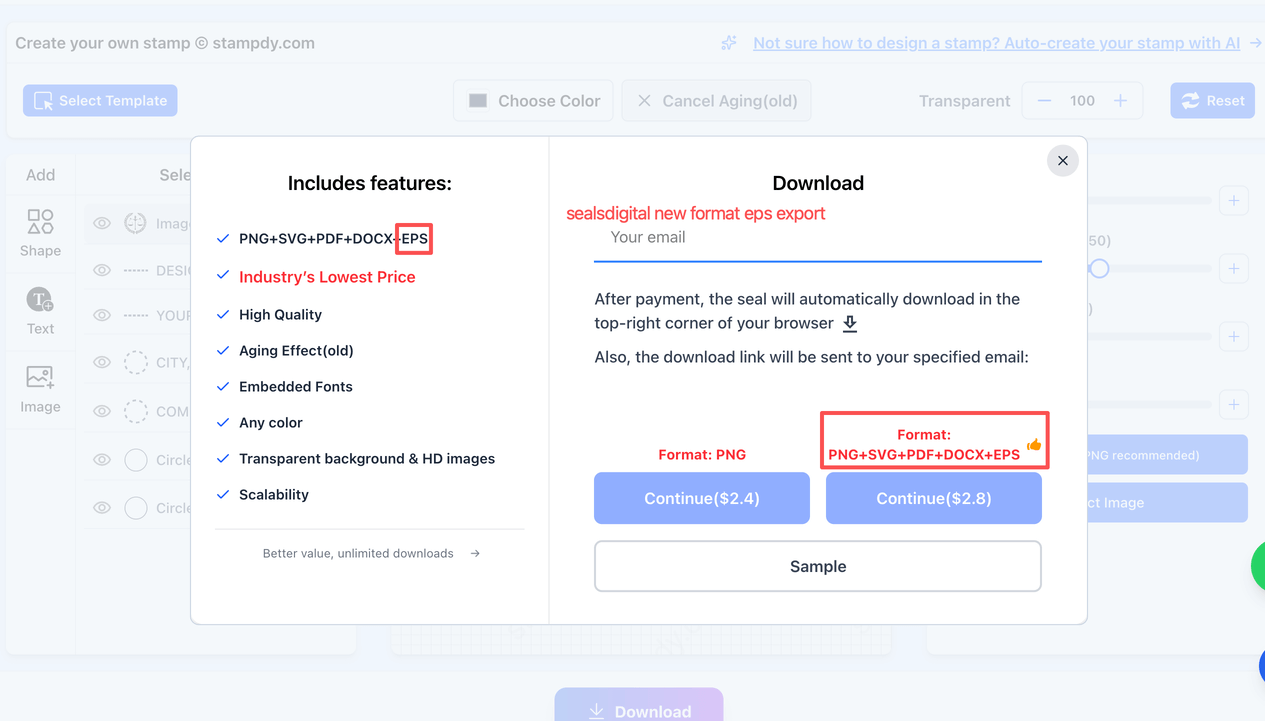
EPS is now available as an additional download format—at no extra cost—so a single export can cover both everyday document use and professional print workflows. Alongside PNG, SVG, PDF, and DOCX, EPS helps your stamp look sharp and consistent when a vendor, printer, or engraving shop specifically asks for “an EPS.”
EPS (Encapsulated PostScript) is a long‑standing graphics format built for professional publishing and commercial printing workflows. Because EPS is closely tied to PostScript-based print pipelines, it’s commonly requested for high-quality vector artwork like logos, signage, and marketing materials. In practical terms, EPS is often used when a production partner wants a predictable, print-friendly vector file that can scale cleanly for different sizes.
Read More:-
A seems simple—until it has to survive multiple real-world steps: approvals in a document, resizing for different layouts, and sometimes physical production. SealDigital already supports exporting common formats like PNG, SVG, PDF, and DOCX in one workflow.
Adding EPS helps when your downstream workflow is print-centric (for example, a print shop, merch vendor, or certain manufacturing pipelines that still prefer EPS deliverables).
EPS can also be a good “handoff” format when someone on the receiving end is working in traditional design/print tooling and expects EPS as the default vector package.
Below is a practical way to think about each format so you can pick the best one for the job (or simply keep all of them in your project folder and use what your workflow demands). SealDigital’s editor is designed around fast creation and export-ready output for common business and creative needs.
| Format | Best for | Why you’d pick it |
|---|---|---|
| PNG | Fast use in digital docs, slides, web portals | Raster image that’s convenient to drop into many tools (great for “paste and go”). |
| SVG | Flexible resizing and modern design workflows | Vector format that scales cleanly; often preferred for web or responsive layouts. |
| Sharing a print-friendly document preview | Widely accepted for viewing and printing; easy to send for review. | |
| DOCX | Stamp placement inside Word workflows | Useful when your process lives in Microsoft Word documents. |
| EPS | Vendor requests, print production, legacy print workflows | Classic print/publishing vector format often used for commercial graphics and PostScript-related pipelines. |
Read More:-
If you already use a or to produce consistent approvals, seals, or event stamps, EPS doesn’t require a new design mindset—it’s mainly a better “handoff” for certain downstream steps. SealDigital’s workflow emphasizes quick generation, export presets, and production-ready outputs from the same design session.
Common ways EPS helps after you export:
- Send-to-vendor files: If a print shop or production partner asks for EPS, you can provide it immediately instead of converting formats and risking unexpected changes.
- Brand consistency: When teams reuse the same stamp artwork across departments, keeping a vector master format can reduce “slightly different version” problems over time.
- Physical production prep: Even if you start with a digital design, some physical production workflows still prefer an EPS file as part of the artwork package.
SealDigital also includes design controls and specialty effects (like aging, anti-counterfeiting elements, and serrated edges) within the same streamlined editor, so you don’t need separate software just to prepare a stamp for export.
