Here's a situation I'm willing to bet a lot of people have been in.
You spend time creating a stamp — the right shape, the right text, the right color — and then you download it as a PNG and suddenly realize you still have to figure out how to actually get it onto your document. You open the PDF. You stare at it. You try to paste the image in. It lands in the wrong place, in the wrong size, and now you're dragging it around a document that doesn't want to cooperate.
The stamp itself was the easy part. What comes after it is where things fall apart.
SealsDigital built its PDF editor specifically to close that gap. The idea is straightforward: you make your stamp, and then instead of ending the process with a download, you keep going — directly into a document editor where you can place that stamp exactly where it belongs, sign the page if needed, and export a finished, clean PDF that's ready to send.
Let me walk through how it actually works, and why the flow matters more than it might seem at first glance.
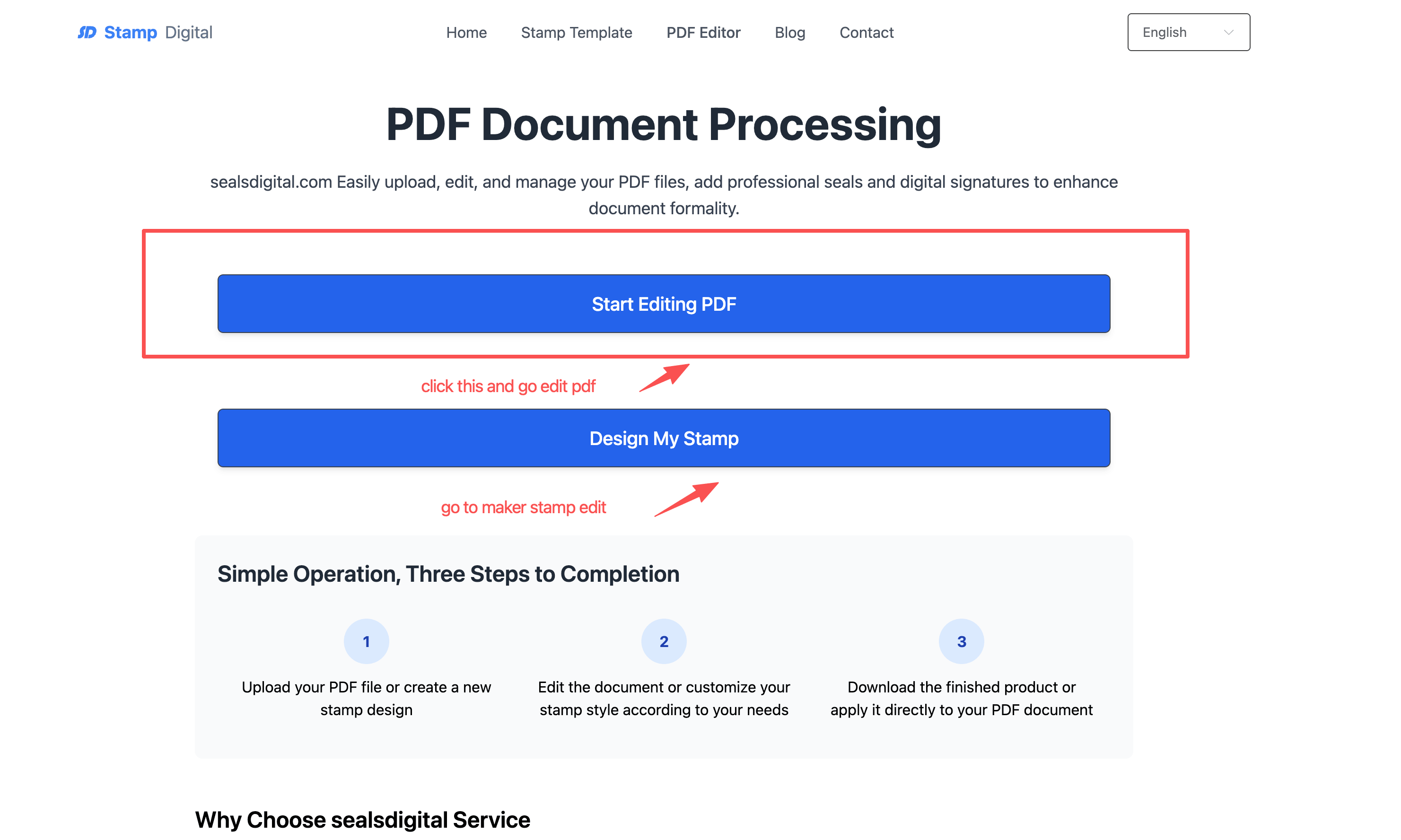
The editor at sealsdigital.com/pdf handles a few things that PDF tools usually treat as separate problems.
You can upload an existing PDF — a contract, an invoice, a form, a legal document — and work directly on it inside the browser. No software to install, no account required to start. The file lives locally in your browser session while you edit it. SealsDigital is explicit about this: your documents are not stored on their servers. Everything processes in your browser, and the file is automatically cleared roughly an hour after use. For anyone handling sensitive documents — which is most people using stamps on PDFs — that's not a small thing.
Once your document is open, you can do a few things:
1.Insert a stamp or seal image — this is the main reason most people come here. Place your custom stamp anywhere on the page, resize it, reposition it until it sits exactly where it should.
2.Add a digital signature — your own signature, placed on the line that's waiting for it.
3.Fill out form fields — if the PDF has fillable fields, you can complete them directly.
4.Add annotations — notes, markings, text overlays.
5.Export to cloud services — Dropbox, Google Suite, and other integrations so the finished file goes straight where you need it.
None of those features are unusual in isolation. What makes the SealsDigital approach useful is that they sit next to the stamp maker, not in a different product entirely.
This is the part that most stamp maker tools miss, and it's worth explaining in plain terms.
When you build a stamp in SealsDigital's stamp maker, you're working with a tool that's designed for export — PNG, SVG, PDF, DOCX, all available for $2.4. Most people grab the PNG, which is a high-resolution, transparent-background image that drops cleanly onto any document.
But you don't have to leave the platform to use it. Once your stamp is ready, you can move directly into the PDF editor, upload your document, and place the stamp right there. The stamp you just created is the stamp that goes on the page. No re-uploading from your downloads folder, no format conversion, no resizing drama.
For people who are building stamps specifically to use on contracts, approval forms, or any kind of official document, this is the workflow that makes sense. You're not making a stamp as an end product — you're making it to put on a piece of paper. The PDF editor is where that actually happens.
The stamp maker and PDF editor combination works well for a pretty wide range of people, but there are a few use cases where it's especially practical.
Small business owners handling contracts. If you're sending client agreements, vendor contracts, or any kind of signed document regularly, having a stamp you can drop onto a PDF in the same platform saves a meaningful amount of time. Sign the document, stamp it, export it, send it. That's the whole process.
Freelancers who invoice clients. A professional-looking invoice with a company seal carries more weight than one without. The stamp maker handles the seal design, the PDF editor handles placing it on the invoice, and you're done in a few minutes.
Anyone dealing with official or formal documents. Legal documents, government forms, notarial paperwork — these often require both a stamp and a signature on the same page. Doing both in one place, without bouncing between tools, is genuinely more efficient.
People who work across devices. Because everything runs in the browser without installation, you can use it from a laptop at work, a desktop at home, or a tablet when you're traveling. The SealsDigital platform is built to work consistently across operating systems and mainstream browsers.
This comes up often enough that it's worth being direct about.
The SSL encryption and browser-based processing that SealsDigital uses isn't just a marketing line — it's structurally relevant for anyone working with confidential documents. If you're stamping and signing a contract that has sensitive information in it, the last thing you want is that file sitting on someone else's server after you've finished using it.
The automatic clearing — roughly 60 minutes after your session — means you're not leaving a paper trail on an external system. For individuals, that's a reasonable comfort. For businesses handling contracts or legal paperwork with privacy implications, it's closer to a requirement.
It helps to understand what you're getting from the stamp maker before you take it into the PDF editor.
SealsDigital's gives you a few things that matter for document use specifically. The high-resolution PNG output means the stamp won't look pixelated or soft when it sits on a professional document. The transparent background means it overlays cleanly on any page without a white box around it. The anti-counterfeiting elements and aging effects — which are available through the design controls — give stamps a visual authenticity that matters for official or formal applications.
The shapes available (round, square, oval, and others), the full color customization, and the font options mean that whatever the stamp needs to look like — a notary seal, a company approval mark, a library stamp, a personal signature stamp — you can build it to look the part before it ever touches a document.
At $2.4 for the full export package, the cost is low enough that it doesn't become a barrier for one-off use. You're not committing to a subscription to stamp a single contract.
PDF editors are everywhere. Stamp makers are everywhere. What's less common is the two sitting in the same platform with a coherent workflow between them.
SealsDigital isn't trying to replace a full-featured document management system or a professional legal workflow tool. What it does well is handle the specific, concrete need that a lot of people have: make a stamp that looks professional, and then put that stamp on a document without switching to a different tool.
If you've been using a stamp maker that ends at the download step and then struggling to get the result onto your actual document, sealsdigital is worth spending ten minutes with. Upload a document, see how the editor works, and make your own judgment about whether it fits your process.
The stamp maker is the starting point. The PDF editor is where the stamp does its job.
Before exporting, use the to protect totals, signatures, form fields, and page margins from accidental overlap.
If the finished artwork also needs to move between colleagues, office software, or a print supplier, explains how to package the editable source, daily-use exports, proof, and version notes.
